Most people first meet computer-use AI agents in a demo where a model moves the mouse on someone's laptop. It clicks a button, misses a dropdown, retries, and looks impressive for thirty seconds — right up until you try to use it on real work.
The moment you hand that setup a real job, two problems show up immediately. First, you cannot touch your own keyboard or mouse while the agent is driving your screen. Second, the moment a task needs more than clicking — inspecting a page, parsing a table, writing a file, running a script, or resuming after a pause — a pure click-loop starts burning steps trying to do shell work through a GUI.
An AI agent with its own computer avoids both traps. Instead of borrowing your desktop or spinning up an ephemeral container that forgets everything between calls, each Internal Agent in Auteryn works on its own persistent cloud machine: a terminal, a Chromium browser, and a /workspace filesystem that survive across runs.
To show what that looks like in practice, here is a real run we executed today — unedited, with screenshots straight from the live run timeline.
The task: turn a live web page into a checked file
We gave a new Internal Agent one straightforward prompt:
“Open https://auteryn.ai/agents in your browser, scroll through the starter agents listed on the page, and extract each agent's name and one-line description. Save the list as a clean markdown table in /workspace/starter-agents.md using your terminal, count how many there are, and give me the summary.”
This is a small job, but it sits right at the boundary where single-purpose agents usually stall:
- A browser-only agent can open
/agentsand read what is on screen, but it cannot write a clean/workspace/starter-agents.mdfile or run a quick script to verify the row count. - A terminal-only agent can
curla URL, but fails the moment a page renders content dynamically in the browser or requires scrolling, login, or visual inspection.
When the browser and the terminal live on the same machine, the agent simply uses each one for the part it is best at.
Step 1: Open the page in its own Chromium browser
As soon as the run started, the agent created a step-by-step plan and launched its own Chromium browser on https://auteryn.ai/agents.
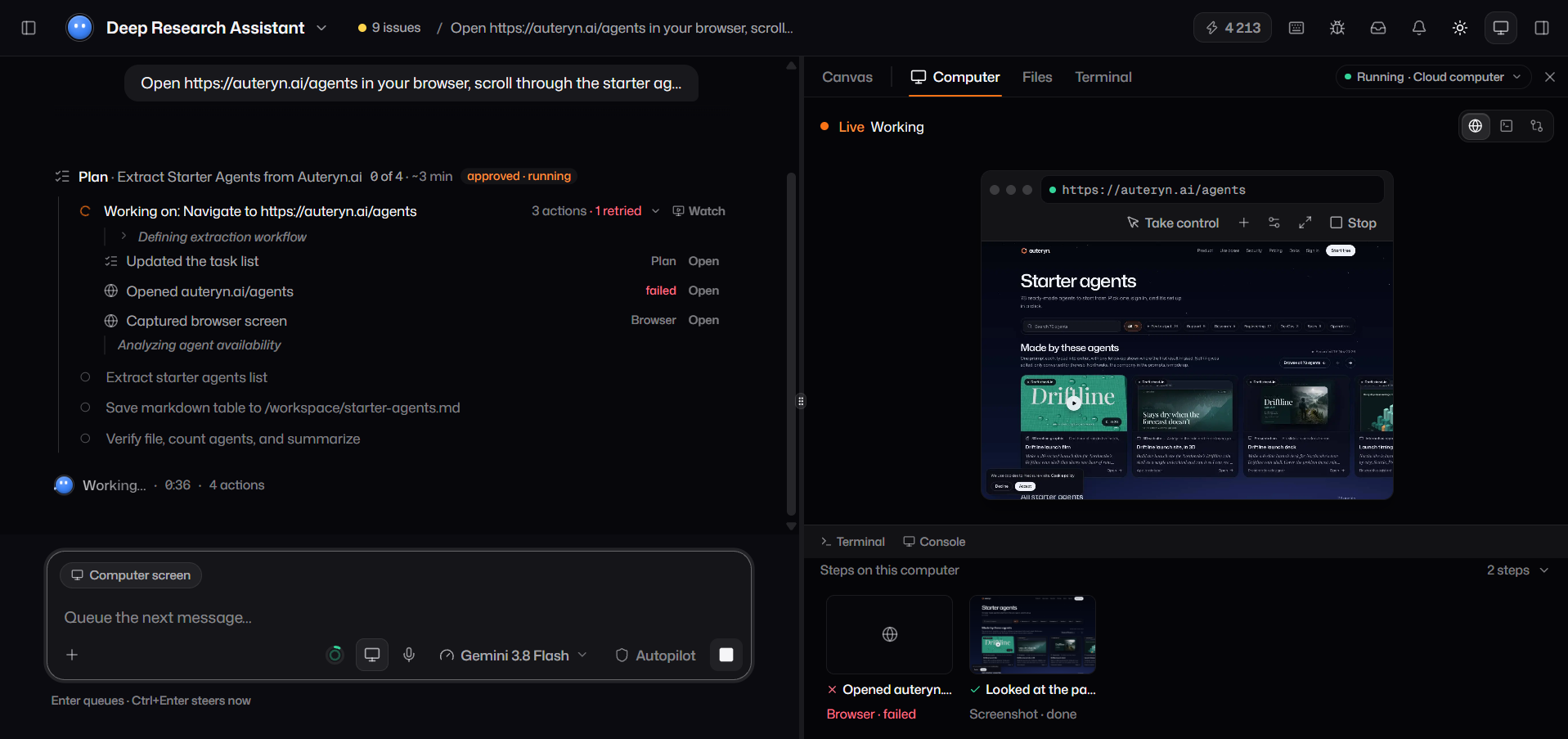
Look at two details in that screenshot:
- The live run timeline on the left. Every action — creating the plan, navigating, capturing the browser screen — streams to the timeline as it happens. You are never staring at a black box wondering whether the agent is stuck.
- The “Take control” button in the top right. Because the agent's browser runs in its own cloud session rather than on your laptop, your own machine stays free. Yet if the agent hits a login screen, a CAPTCHA, or a page you want to inspect yourself, you click Take control, drive the browser directly, and hand control back when you are done.
Step 2: Switch to the terminal on the same machine
Once the agent inspected the /agents page in Chromium, it did not try to copy-paste 78 entries through chat messages or manually type a markdown file. On the exact same cloud computer, it switched to the Console and ran Python to parse the page content, inspect the structure, and format the output cleanly.
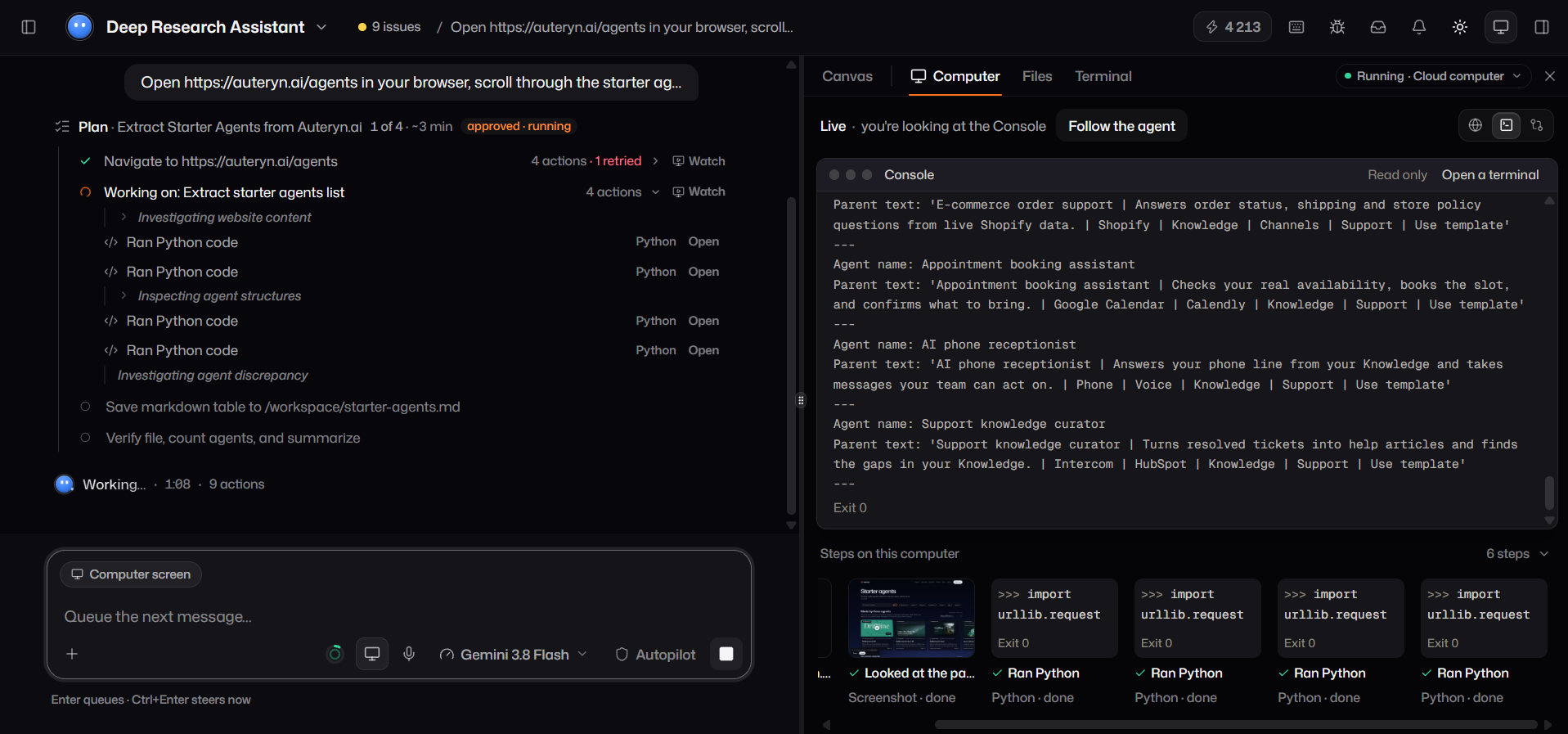
Notice the controls at the top of the panel: Follow the agent and Open a terminal.
Because the browser and the terminal share one filesystem, there is no brittle glue between steps. Anything downloaded or captured in Chromium is immediately sitting in /workspace for a script to inspect, clean, or verify. And if you want to inspect a file or run a command alongside the agent, you can open a terminal on the same machine without interrupting the run.
Step 3: Save the persistent artifact and verify the count
After writing /workspace/starter-agents.md, the agent verified the file and returned a structured summary with the exact count: 78 ready-made starter agents across categories including Research, Product, Content, Engineering, and Operations.
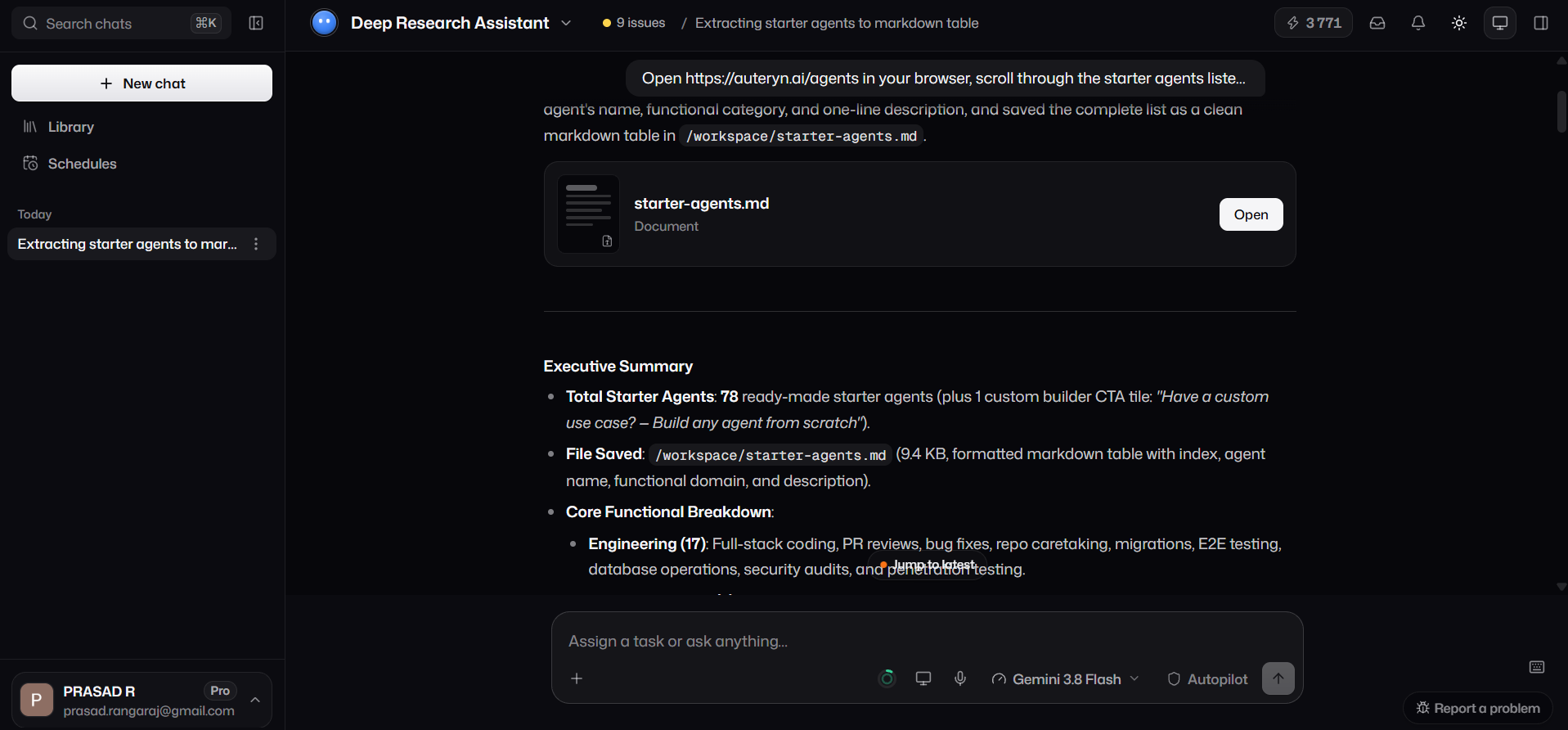
That starter-agents.md file (9.4 KB) is not trapped inside a chat transcript. It lives in /workspace on that agent's persistent machine. If you come back tomorrow — or if a scheduled Loop wakes the agent overnight — the file is still there, ready for the next step.
Why a dedicated machine changes what an agent can finish
Giving an agent its own computer is not about making demos flashier. It changes four practical things when you rely on agents for daily work:
- You keep your own screen. An agent researching competitors, checking Search Console, or auditing a web app does not hijack your laptop cursor. You can run it while you work on something else, or schedule it on a Loop overnight.
- State persists across steps and across runs. Every step in Auteryn is checkpointed before the next action begins. Files in
/workspace, browser state, and terminal history stay intact across runs, so multi-step jobs do not restart from zero after a pause. - Browser and shell work together. UI actions happen in Chromium; parsing, file edits, builds, and verification happen in the terminal. Neither has to pretend to be the other.
- Human control stays one click away. You can watch the live timeline, open a terminal, take over the browser mid-run, and hand control back — without giving up unattended execution when you do not need to intervene.
The model still matters, and on Pro and up you can pick the model per agent. But what separates a demo from an AI teammate is the computer it runs on: a real machine with a shell, a Chromium browser, persistent files, and a seat next to it for you.
Auteryn is in private beta — the free plan is a real agent on a real machine, 1,000 credits a month.